Hover any Chinese, Japanese or Korean word. Get the meaning instantly.
A free Chrome extension for reading, plus Mac and Windows apps that put pinyin and English over Chinese video subtitles.
Free to start · 7-day Pro trial when you sign in · one Pro plan for every app and language
How it works
- 1
Add it to Chrome
One click from the Chrome Web Store. No account needed.
- 2
Hover any word
The reading and definitions appear instantly, on any site.
- 3
Save what you want to keep
Build a word list as you read, then export it to Anki or Quizlet with Pro.
Pinyin and English over Chinese video subtitles
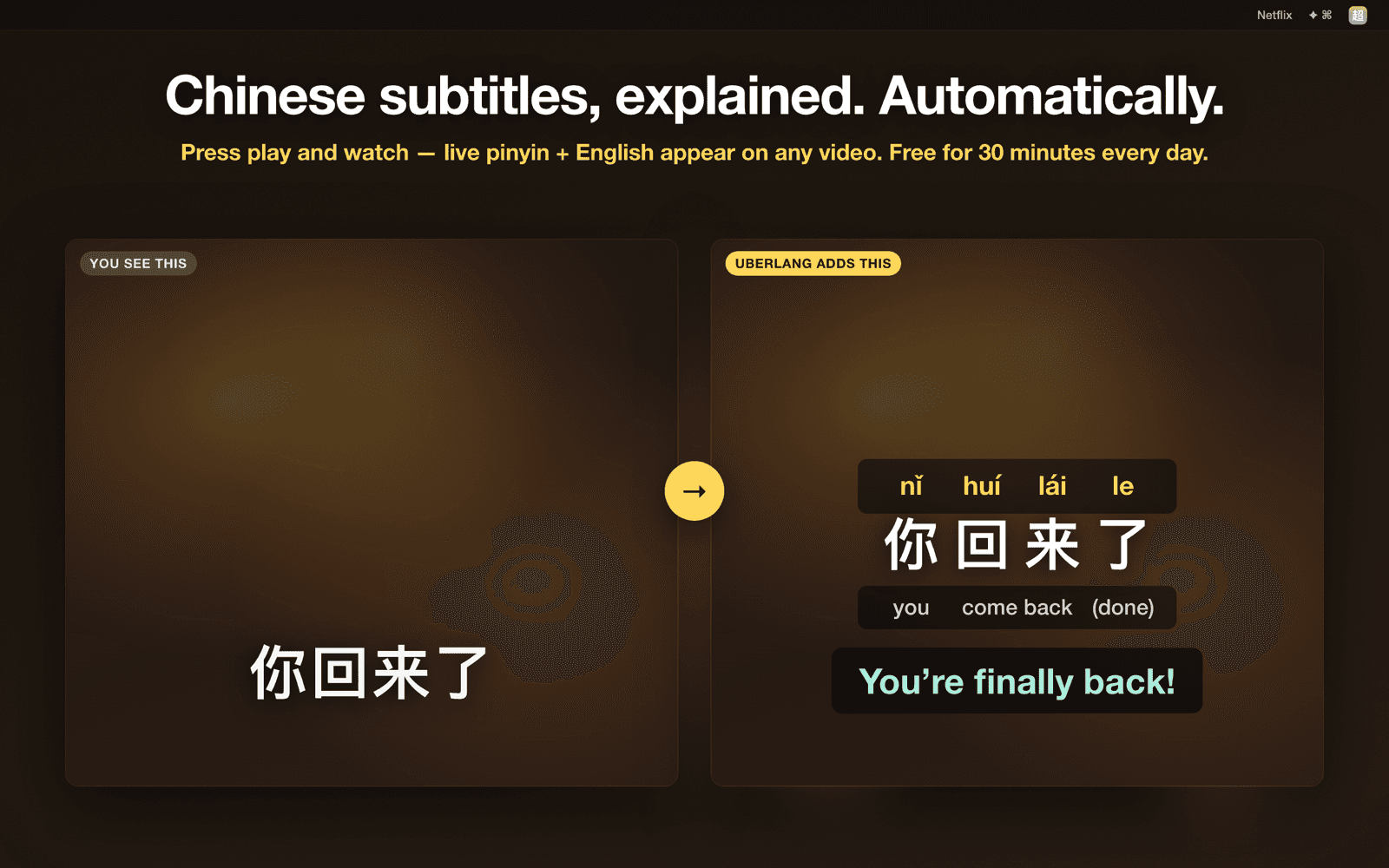
Uberlang for Mac reads the subtitles on your screen and adds pinyin, per-word meanings and a full translation, on any player.
- Netflix, YouTube and Viki in Chrome, plus local video players
- Runs on your Mac: screen reading and translation stay on device
- Free 30 minutes a day, unlimited with Pro
macOS 14 or later · Apple Silicon and Intel · free to start
Where Uberlang runs
Same account and saved words on every app.
Chrome extension
Chinese, Japanese, Korean
Hover any word on any site. Also works in Edge, Brave and other Chromium browsers.
Add to ChromeMac app
Chinese
Live pinyin and English over video subtitles in any app. macOS 14+. Mac App Store version coming.
Download for MacWindows app
Chinese
Pinyin and English over Chinese on your screen, including video subtitles. Windows 10 and 11, 64-bit.
Download betaPhones
Not yet. For now, Uberlang runs on your computer.
One plan. Every app, every language.
Try Pro free for 7 days when you first sign in, no card needed. After that, $39.99/year or $4.99/month. Cancel anytime.
| What you get | Free | Pro |
|---|---|---|
| Hover popup with readings and definitions | ||
| Chrome extension: lookups (all languages) | 150/day | Unlimited |
| Saved words | 50 | Unlimited |
| Live video captions (Mac and Windows apps) | 30 min/day | Unlimited |
| Sync saved words across apps | Up to 50 | Unlimited |
| Export to Anki, Quizlet, Memrise, CSV, JSON | — |